
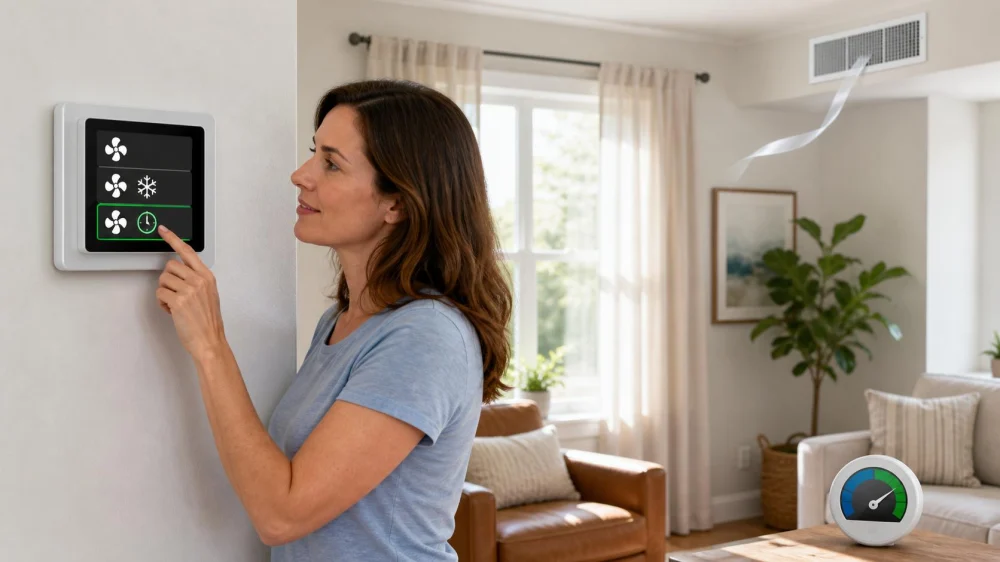
Thermostat Fan ON or AUTO: Choose the Right AC Setting
The thermostat’s fan control is easy to confuse with cooling. AUTO usually runs the indoor blower when the system calls for heating or cooling; ON usually asks it to run continuously, even when the outdoor compressor is off. That difference affects sound, filtration, energy use, humidity, and how you interpret a system that seems to “never stop.”
Quick answer
For many central AC systems, AUTO is the normal starting point: the blower operates with a heating or cooling call and may continue briefly afterward by design. ON runs the fan continuously. CIRC runs it for scheduled intervals. Use the equipment and thermostat instructions because advanced systems can behave differently. If the fan keeps running on AUTO, cooling never starts, airflow smells hot, or the system shows an error, record what happens and call qualified service.
What ON, AUTO, and CIRC mean
AUTO connects blower operation to a system call. The fan may begin after the compressor or continue for a programmed delay when cooling ends. Variable-speed equipment can run at low speed for ventilation, filtration, or dehumidification even when older systems would be silent.
ON usually tells the indoor fan to run continuously. It does not force the compressor to cool. Air from a register can therefore feel room temperature between cooling cycles.
CIRC, “circulate,” or a fan schedule runs the blower for a set portion of each hour or according to programmed periods. Smart thermostats may offer minimum runtime, air-quality, occupancy, or ventilation settings. Read the manual for the exact control and HVAC equipment.
Why AUTO is the usual cooling default
AUTO avoids running a standard blower when there is no heating or cooling call, which can reduce fan energy and unnecessary noise. It also lets a conventional cooling system stop airflow after the intended drain-down period.
The U.S. Department of Energy’s hot-humid climate guidance recommends AUTO rather than ON for more efficient humidity control in the central AC configurations it discusses. Moisture remaining on a cooling coil can re-evaporate into the airstream when the fan continues after the compressor stops.
AUTO does not guarantee low humidity. Equipment sizing, airflow, refrigerant charge, drainage, outdoor air, building leakage, thermostat setup, and run time all matter. Measure conditions and seek diagnosis rather than changing hidden controls.
When continuous fan may be intentional
Continuous or scheduled circulation can help mix temperatures between rooms, support a filtration strategy, or provide ventilation when the system was designed and commissioned for it. Some variable-speed motors use relatively little power at low airflow, while older blowers may use more.
Do not switch to ON merely to hide uneven cooling, a blocked return, poor duct design, or an oversized unit. Moving air can make rooms feel more even without correcting the cause. A continuously loaded filter also needs monitoring according to pressure, runtime, environment, and manufacturer guidance.
For homes with special filtration, ventilation, humidity, or medical needs, ask the HVAC professional who designed the setup which mode and fan speed are intended.
Watch humidity and comfort
Use a reliable indoor humidity meter away from supply air, direct sun, bathrooms, and kitchens. Record indoor temperature and relative humidity at the same time each day and during complaints. A single reading does not reveal the trend.
If the home feels clammy after switching to ON, return to the documented normal setting unless a technician instructed otherwise and observe whether conditions change. Also note condensation at registers, water around the air handler, musty odours, long or very short cooling cycles, and whether doors or windows are open.
Do not lower the thermostat aggressively to “dry the air.” That can overcool the home without solving airflow, drainage, equipment, or building moisture problems.
Record a fan that behaves unexpectedly
Before changing multiple settings, capture:
- thermostat mode, temperature setpoint, fan mode, schedule, and any displayed alert;
- room temperature and humidity;
- the time the fan, cooling symbol, and outdoor unit start and stop;
- whether air is cool, room temperature, warm, weak, or absent;
- which rooms or registers differ;
- recent filter, thermostat, outage, maintenance, or renovation changes;
- new noise, odor, water, ice, or breaker activity.
A short video can capture sound and thermostat state, but never remove equipment panels to get it.
Safe checks before calling
- Confirm the thermostat is in the intended COOL mode and the fan setting is AUTO rather than ON.
- Review schedules, holds, circulation minimums, and app settings.
- Check whether the filter is the correct size, installed in the correct direction, and due for service.
- Make sure accessible supply and return grilles are open and not blocked by furniture.
- From the ground, observe whether the outdoor unit runs when the thermostat calls for cooling.
- Wait through any manufacturer-required compressor protection delay after a setting change or outage.
Stop and call for service if there is smoke, burning odor, sparking, repeated breaker trips, exposed wiring, a severe mechanical sound, refrigerant line ice, or water threatening electrical equipment.
System and safety limits
This article describes common control behaviour, but heat pumps, communicating systems, zoning, variable-speed air handlers, ventilation equipment, air cleaners, dehumidifiers, and building automation can override simple assumptions. Follow the manuals and installer setup.
Do not open electrical panels, bypass safeties, change blower taps, adjust refrigerant, or alter installer menus without qualified guidance. HVAC electrical and refrigerant work can be hazardous and may require licensing.
Frequently asked questions
Why is air moving when the outdoor unit is off?
The fan may be set to ON or CIRC, finishing a programmed delay, ventilating, filtering, or following a smart-control routine. Check the documented configuration.
Does ON make the house cooler?
It moves and mixes air but does not create cooling while the compressor is off. It may change perceived comfort.
Why does the fan run briefly after cooling stops?
Many systems have an intentional off-delay. Compare the duration with the manual and tell a technician if it changes or never ends.
Should I use AUTO in a humid climate?
It is a common default for conventional central AC humidity control, but the correct setup depends on the full system. Ask a qualified technician if the home remains humid.
Next steps
Photograph the current thermostat settings, identify the system and control manuals, and use AUTO as the documented normal cooling mode unless your designed system says otherwise. Track temperature, humidity, fan runtime, and outdoor-unit operation for a day. If behaviour remains unusual, give that timeline to the HVAC technician instead of changing several controls at once.
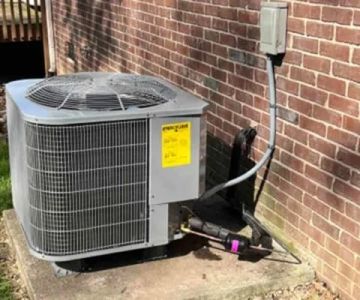
 Comfort Control LLC4.0 (13 reviews)
 Corey Heating, Air Conditioning & Plumbing, Inc.4.0 (13 reviews)
 1st Choice Heating & Air4.0 (105 reviews)
 Sosebee Heating & Air Co.LLC5.0 (9 reviews)
 Ice Cold Air Discount Auto Repair4.0 (280 reviews)
 Domingo & Sons Heating and Cooling Pro4.0 (55 reviews)
 How to Find Trustworthy AC Repair Services and Avoid Scams
 How to Determine if Your Air Conditioner Needs a Refrigerant Recharge
 Affordable Companies That Air Conditioning Replace Near You
 How Much Does It Really Cost to Fix an AC Unit in the US?
 Who Should You Trust When You Need to Get Your AC Fixed? | Expert Tips for Choosing the Right Service
 How Long Should It Take to Fix Your AC at a Reasonable Cost?