
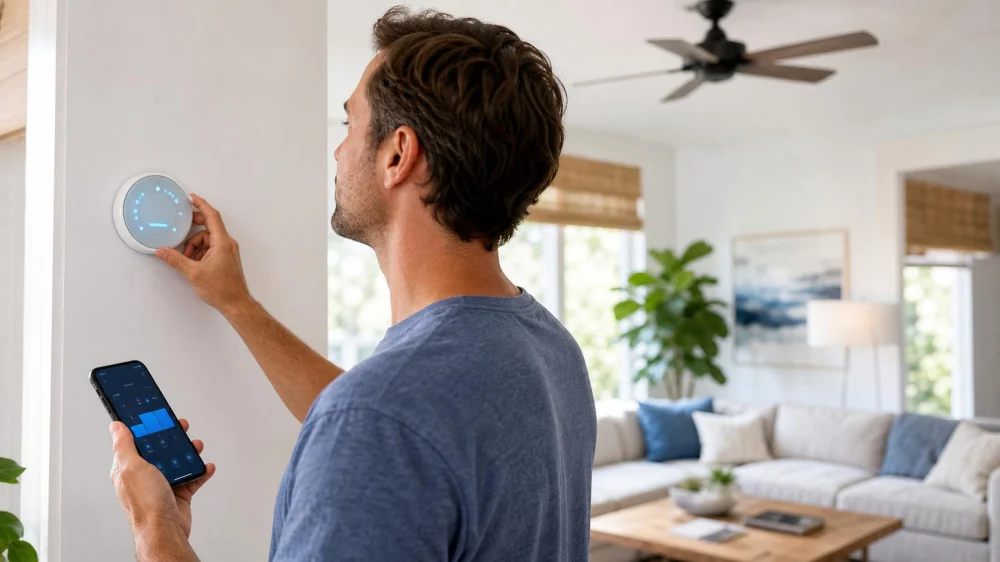
AC Thermostat Settings: Modes, Schedules, and Comfort
On this page
- Quick answer
- Thermostat mode terms
- Choose a cooling temperature
- Use Auto or On fan mode
- Build a practical schedule
- Balance temperature and humidity
- Smart thermostat checks
- When settings are not the problem
- Setup checklist
- Limitations and safety notes
- Frequently asked questions
- Sources and evidence notes
- Next steps
Quick answer
Set the thermostat to Cool, choose the highest temperature that remains safe and comfortable, and use a schedule that relaxes cooling when the home is unoccupied. For many central systems, Fan Auto is the normal choice because the blower runs with a cooling call. Avoid constant manual changes; adjust gradually, track humidity and comfort, and follow equipment-specific instructions.
Thermostat mode terms
A thermostat setpoint is the target temperature used to decide when the system should run; it is not the temperature of the air leaving a vent.
- Cool: permits cooling when indoor temperature rises above the control target.
- Heat: permits heating; it does not speed cooling.
- Auto changeover: can switch between heating and cooling within programmed limits. Use only when configured correctly.
- Off: stops normal heating and cooling calls; safety features differ by system.
- Fan Auto: normally cycles the indoor blower with equipment calls.
- Fan On: runs the blower continuously or nearly continuously, depending on the control.
- Hold: overrides a schedule temporarily or indefinitely.
Choose a cooling temperature
There is no single safe setpoint for every household. Start at the highest temperature that feels comfortable, then adjust in small steps. ENERGY STAR commonly presents 78°F as a typical room-air-conditioner efficiency reference, not a mandatory number.
Consider age, medical needs, medication, pets, indoor humidity, sun exposure, floor level, and whether rooms cool evenly. During extreme heat, comfort and health take priority over an energy target. Check local heat guidance and cooling-centre information when the home cannot remain safe.

Rexroad Heating and Cooling LLC
MorgantownMonongalia CountyWest Virginia
2100 Dents Run Blvd, Morgantown, WV 26501, USA
Use Auto or On fan mode
Fan Auto is best for many central cooling systems because it limits blower operation to calls for conditioning. It can reduce fan energy and avoid re-evaporating water from a wet coil after cooling ends.
Fan On may improve air mixing or filtration in some homes, but it uses more electricity and can worsen humidity in certain systems or pull unwanted air through duct leaks. Choose it only for a defined need and after considering equipment and humidity behaviour. Variable-speed and communicating systems may use other fan logic.
Build a practical schedule
- List regular wake, away, return, and sleep times.
- Choose a comfortable occupied setpoint.
- Raise the cooling setpoint when the home is reliably unoccupied, while protecting pets, plants, humidity-sensitive belongings, and health needs.
- Begin recovery early enough for the system to cool gradually before occupancy.
- Use a temporary override for unusual days instead of erasing the schedule.
- Review runtime and comfort after a week, then make one change at a time.
Best for stable savings is a simple schedule the household will keep. An aggressive setback is not ideal when it creates long recovery, high humidity, or unsafe indoor conditions.
Balance temperature and humidity
Cooling also removes moisture as air passes over the evaporator coil. A large temperature drop is not a substitute for correcting humidity sources, poor drainage, duct leakage, short cycling, or oversized equipment.
Use a separate hygrometer if the thermostat humidity reading is uncertain. Persistent indoor relative humidity above roughly 60 percent deserves investigation because moisture supports microbial growth. Do not drive the setpoint excessively low to treat a building moisture problem.
Smart thermostat checks
- Confirm compatibility with the specific furnace, heat pump, staging, accessories, and wiring.
- Check that the thermostat is on an interior wall away from direct sun, supply air, appliances, and drafts.
- Review geofencing, occupancy learning, utility-event, and recovery settings before enabling them.
- Set temperature limits so guests or automation cannot create unsafe targets.
- Use strong account security, current software, and multi-factor authentication when offered.
- Know how the system operates if Wi-Fi or the cloud service is unavailable.
When settings are not the problem
Call for service when the system cannot approach a reasonable setpoint, runs continuously without improving comfort, cycles rapidly, trips breakers, freezes, leaks water, smells burned, or shows repeated fault messages.
Also verify that windows and exterior doors are closed, the filter is appropriate, supply and return openings are not blocked, and the thermostat is not in Hold, Heat, or an unintended schedule. Do not open electrical cabinets, handle refrigerant, or bypass safety controls.
Setup checklist
- Select the correct Cool or Auto-changeover mode.
- Choose Fan Auto unless there is a documented reason for another setting.
- Program occupied, away, and sleep periods.
- Protect vulnerable occupants and pets.
- Check humidity and uneven room temperatures.
- Remove unintended holds and duplicate app automations.
- Record one week of setpoint, outdoor conditions, comfort, and runtime.
- Arrange service when reasonable settings do not produce normal operation.
Limitations and safety notes
Controls vary among conventional AC, heat pumps, dual-fuel systems, mini-splits, zoned equipment, evaporative coolers, and room units. Heat pumps may use special recovery logic and auxiliary heat; use the matched manual or a qualified technician.
Heat can be dangerous. Seek local emergency guidance for confusion, fainting, severe weakness, very hot skin, or other suspected heat illness. A thermostat strategy does not replace medical care, safe shelter, or a functioning cooling system.
Frequently asked questions
Does setting the thermostat much lower cool the house faster?
Usually not. Most conventional systems cool at their available capacity; a lower target mainly makes them run longer. Variable-capacity systems use their own control logic.
Should the fan be Auto or On in summer?
Auto is the practical default for many central systems. On can help mixing but may use more energy and affect humidity. Follow the system design and measured results.
What temperature saves the most energy?
Cooling demand generally falls as the indoor target is raised, but safety and comfort set the boundary. Use the highest comfortable occupied setting and relax it when safely away.
Why does the thermostat say the target was reached but one room is hot?
The thermostat measures its own location. Sun, duct balance, insulation, closed doors, airflow restrictions, or equipment sizing may cause room differences that need assessment.
Sources and evidence notes
The scheduling approach follows ENERGY STAR smart thermostat guidance and the U.S. Department of Energy’s Energy Saver Guide. Exact settings and fan behaviour depend on the installed system.
Next steps
Photograph the current settings, remove accidental overrides, and create a simple seven-day schedule. Track comfort and humidity for one week before changing another variable. If the system cannot maintain a reasonable target or shows leak, ice, electrical, or fault symptoms, schedule qualified service.

 HUAGUI HVACR LLC5.0 (8 reviews)
 Torcam hvac Llc.5.0 (6 reviews)
 Heritage Heat and Air3.0 (3 reviews)
 Atteberry & Marshall Heating & Air4.0 (249 reviews)
 Sam Peters Heating and Air LLC4.0 (9 reviews)
 Daniel Vinson Service Company5.0 (4 reviews)
 Best Services: Where to Get My AC Fixed Near You Today
 Best Practices for a Successful and Affordable AC Fix
 Experts Explain How to Fix Air Conditioning Like a Pro
 Top Ways to Fix Your AC Quickly and Affordably in Your Area
 How to Find Who Can Fix My Air Conditioner Without Spending a Fortune
 How to Solve Refrigerant Leaks in Your Air Conditioning System