
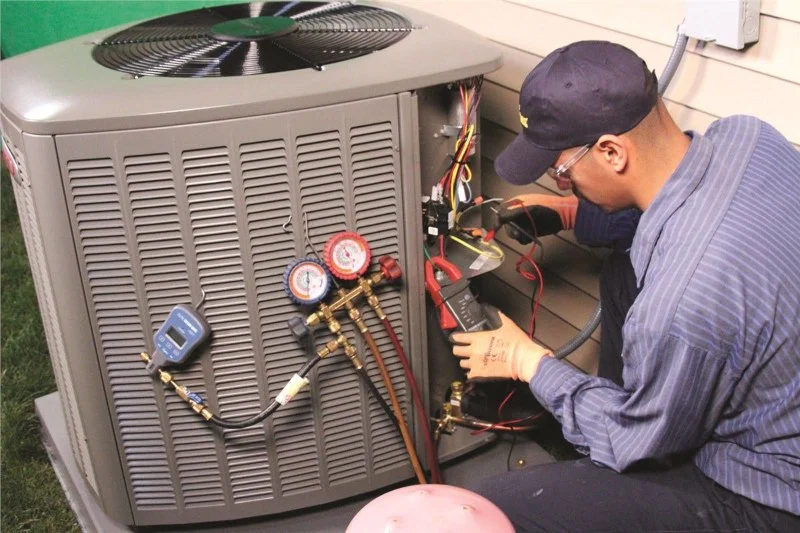
- 1-Understanding Common Air Conditioner Problems
- 2-Check Power Supply and Settings
- 3-Inspect Air Filters and Coils
- 4-Check the Thermostat Settings
- 5-Clean the Condensate Drain
- 6-Real-Life Case: Troubleshooting a Common AC Issue
- 7-Preventive Maintenance Tips
1. Understanding Common Air Conditioner Problems
Air conditioners are designed to keep you cool and comfortable during hot weather, but like any mechanical system, they can experience issues from time to time. While it's always a good idea to call a professional for complex repairs, many common AC problems can be diagnosed and fixed by yourself. In this guide, we will walk you through some of the most common issues that homeowners face with their air conditioners and how to troubleshoot them on your own.
Gainey's Heating & Cooling Inc
HartsvilleDarlington CountySouth Carolina
706 Lakeview Blvd, Hartsville, SC 29550, USA
2. Check Power Supply and Settings
One of the first things to check when your air conditioner isn’t working is the power supply. It may sound simple, but sometimes the problem is as basic as a tripped circuit breaker or the system being turned off accidentally. Follow these steps:
1. Ensure the AC is Powered On: Check the power switch to make sure the AC unit is actually turned on.
2. Check Circuit Breakers: If the unit is not turning on, check your home's electrical panel to see if the circuit breaker for the AC unit has tripped. Reset it if necessary.
3. Examine the Power Cord: Inspect the power cord for any visible damage. A frayed or broken cord may be the issue.

Tri-Starr Muffler Brakes & Lube
StarkvilleOktibbeha CountyMississippi
105 Avenue of Patriots St, Starkville, MS 39759, USA
3. Inspect Air Filters and Coils
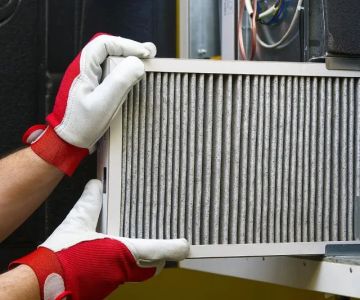
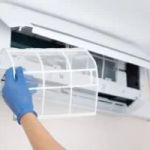
Dirty air filters and coils are one of the most common causes of an air conditioner malfunction. If your AC is blowing warm air or is not cooling effectively, clogged filters or coils might be the issue. Here's how to inspect and clean them:
1. Inspect the Air Filter: Remove the air filter and check for dirt or debris buildup. A dirty filter restricts airflow and can cause the system to overheat. Clean or replace the filter as needed.
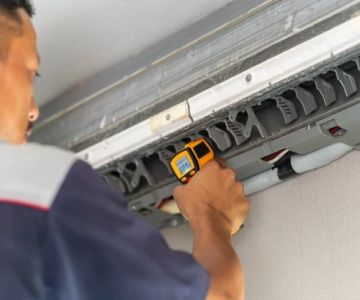
2. Clean the Coils: Both the evaporator and condenser coils need to be free from dirt and grime for optimal performance. Gently clean the coils with a soft brush and, if needed, use a coil cleaner for tougher buildup.
3. Reassemble: Once cleaned, make sure everything is properly reassembled before turning the unit back on.
4. Check the Thermostat Settings
If your air conditioner is not cooling effectively or is constantly running, the thermostat may be incorrectly set or malfunctioning. Here’s what to do:
1. Check the Temperature Setting: Ensure the thermostat is set to a temperature lower than the current room temperature. If it’s set too high, the AC may not turn on.
2. Replace Batteries (If Applicable): Some thermostats use batteries. If the display is blank or malfunctioning, replace the batteries.
3. Calibrate the Thermostat: If the temperature setting seems accurate but your AC still isn’t performing properly, you may need to recalibrate or reset your thermostat to ensure proper operation.
5. Clean the Condensate Drain
A clogged condensate drain can cause water to accumulate inside your AC unit, potentially damaging components or leading to mold growth. Regular cleaning of the drain helps prevent this. Here's how to clean it:
1. Locate the Drain Line: The drain line is typically a PVC pipe that extends from the unit to the outside of your home.
2. Use a Wet/Dry Vacuum: Attach a wet/dry vacuum to the drain line’s opening and suction out any blockages.
3. Check for Moisture: After cleaning, inspect the area around the unit for any signs of water leakage, which could indicate a further clog or drainage issue.
6. Real-Life Case: Troubleshooting a Common AC Issue
Take the case of Jake, a homeowner in Florida, whose air conditioner started making strange noises and failed to cool his home. Jake followed a few simple troubleshooting steps: He checked the power, cleaned the air filter, and examined the thermostat settings. Upon inspecting the coils, he found that they were covered with dirt, causing inefficient cooling. After cleaning the coils and replacing the air filter, his AC returned to normal function, saving him the cost of a professional repair.
This is a common scenario that many homeowners can handle on their own. By performing basic troubleshooting steps, you can often avoid expensive repair bills and keep your system running smoothly.
7. Preventive Maintenance Tips
Prevention is always better than cure. Regular maintenance of your air conditioner can help avoid future issues. Here are a few tips to keep your system running efficiently:
1. Regularly Replace Filters: Change the air filter every 1-3 months, especially during peak seasons, to ensure proper airflow.
2. Schedule Annual Professional Inspections: Have a professional inspect and clean your AC unit annually to catch any potential issues early.
3. Clean the Outdoor Unit: Keep the outdoor unit clear of debris, leaves, and grass to ensure proper airflow and performance.
4. Ensure Proper Insulation: Proper insulation around your home can reduce the load on your AC, helping it run more efficiently.
For more information on AC maintenance or to explore the best products and services, visit Ac Fix for expert recommendations.

 Direct Comfort Air Conditioning & Heating4.0 (67 reviews)
 Integrity Auto Repair4.0 (475 reviews)
 RSI of Brevard - Residential Maintenance and Repairs5.0 (7 reviews)
 Martin Air Condioning & Elec4.0 (11 reviews)
 Stewart Richey Service Group4.0 (139 reviews)
 McDaniel Access Company4.0 (126 reviews)
 How to Fix an AC Condenser Like a Pro: Expert Tips & Guide
 Affordable Companies That Fix Wall Air Conditioners Near You
 Expert Guide on How to Get Your AC Fixed Like a Pro | AC Repair Tips
 Fastest Way to Air Conditioning Replacement Without Getting Overcharged
 How Long Should It Take to Fix Your AC on a Budget?
 What to Do When You Need Someone to Fix Your AC Immediately